One library, many sources
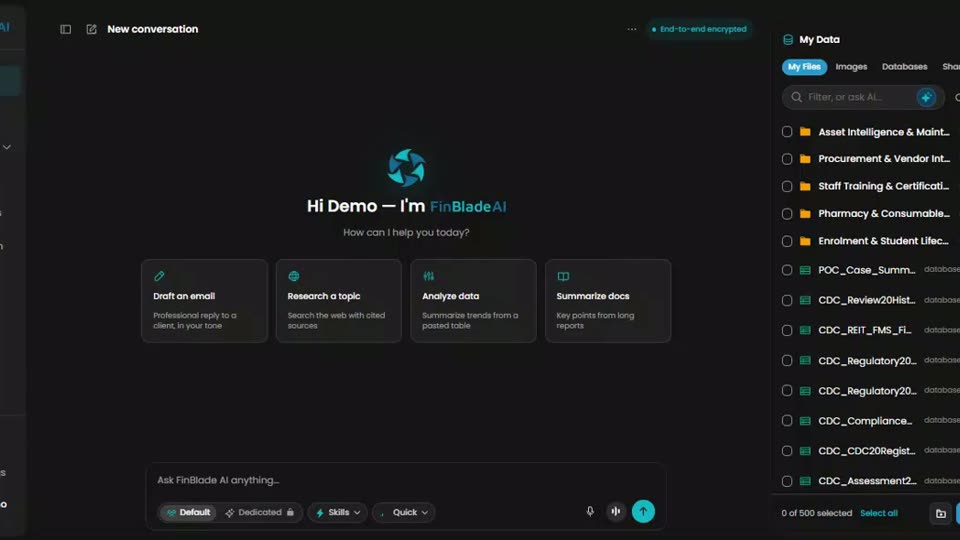
The library shows your own files, generated work, databases, SharePoint, shared files, and templates in one view.
 NORIKERAll demos
Upload documents, spreadsheets, and scans. Ask questions of one file or many, and get answers that cite the file they came from.
FinBlade AI · Produced by ICS Nett · Sample data
See this with your own dataMost organizations keep their knowledge in folders nobody can search well. A file name tells you little. The answer you need is inside a scanned page, a spreadsheet tab, or a report someone else wrote.
This is the foundation under every other demo. Once the library exists, chat, workflows, agents, and dashboards all draw from the same permissioned source. People stop hunting for files and start asking questions.
The library shows your own files, generated work, databases, SharePoint, shared files, and templates in one view.
Search by file name, search inside the documents, or describe what you want and let the AI filter for you.
Drag in a file or a whole folder. Scanned pages go through OCR. Documents are trained for search, and spreadsheets become sources you can query.
Select a file and chat with it. Answers come only from that file, with citations, and the platform suggests where to start.
This is My Data, where every file the platform works with lives. The top row is the state of the library: 121 documents, 91 trained and searchable, 13 spreadsheets queryable as data, and 17 shared with you. Down the side are the sources behind it. Your own files, generated artifacts, databases, SharePoint, what others have shared, and templates. Folders sit underneath. Search works 3 ways: by file name, inside the documents themselves, or by describing what you want and letting the AI filter for you. And the chips narrow it further: by file type, by training status, or by when it was uploaded. Artifacts holds everything the platform has generated. 163 files, grouped by where they came from and filtered by kind. Adding more is a drag and drop, a browse, or a whole folder at once. Then one question: extract the text with OCR? Turn it on for a scanned page or an image and leave it off when the PDF already has selectable text. Each file is routed on its own. Documents are trained for AI search. Spreadsheets become queryable sources. Training runs automatically after the upload. The count moves, and the file comes back trained. Select any file and chat with it on the spot. Answers come only from that file, with citations. It even suggests where to start: summarize the dataset, the key totals, any trends or outliers. Every file in one place, trained, searchable, and ready to answer.
Company names, people, and figures in these demos are illustrative. Your configuration, data access, and deployment are defined during scoping.
 1:38
One secure workspace to chat with your data, automate your work, and launch AI apps. This is the fastest way to see how the parts fit.
Explore this demo 1:26
Scanned forms in two languages are read, and the fields you name are pulled into one table for review.
Explore this demo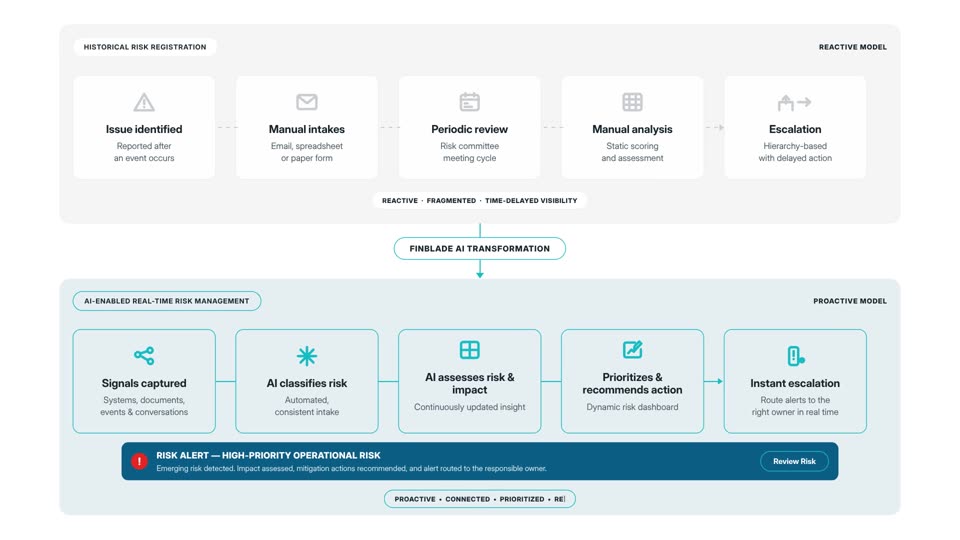 0:51
A 51-second look at moving risk work from after the event to the moment a signal appears.
Explore this demo